Assigning Teacher to Class
Step 1
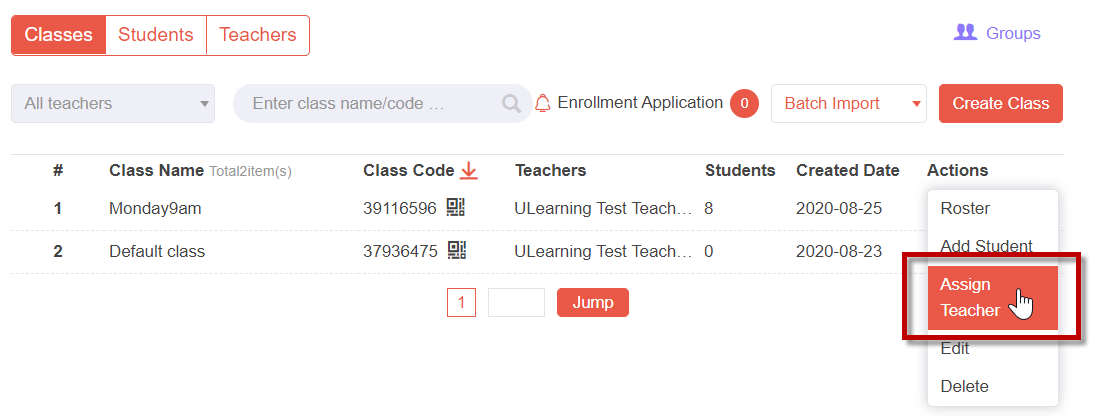
From the Class List screen:
- Click the Actions drop-down menu at the end of the class row.
- Click the Assign Teacher option.
Step 2
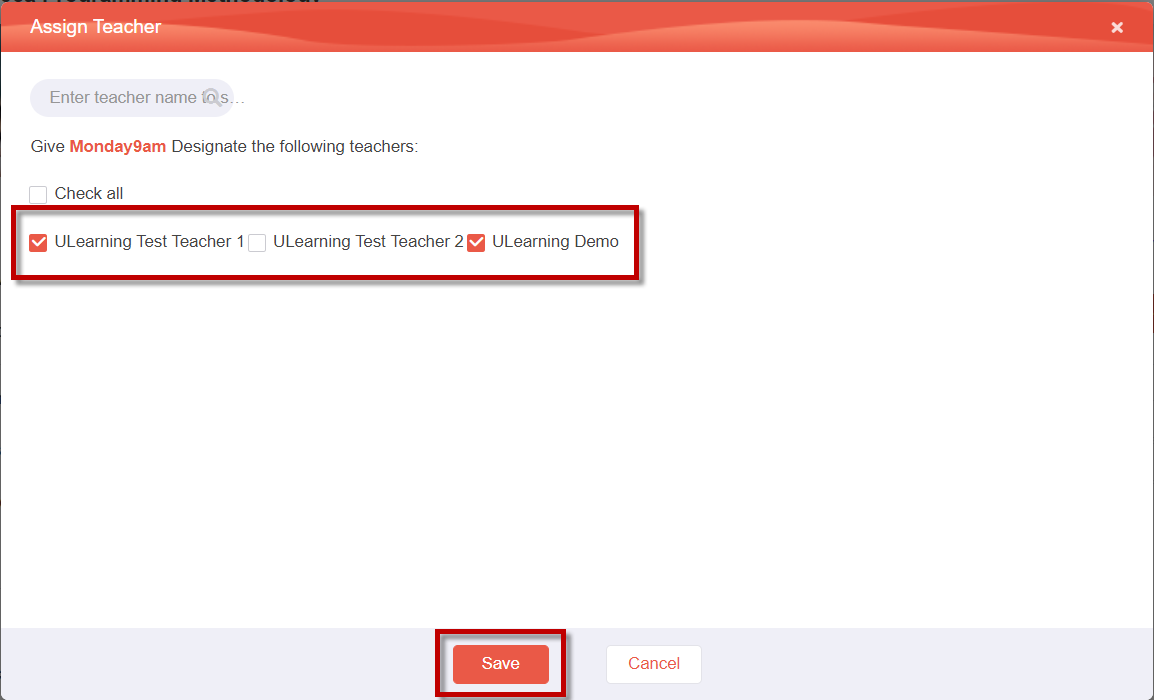
From the Assign Teacher popup window:
- Select all the teachers you want to assign to this class.
- Click the Save button.
Step 3
You'll notice that the teachers are added to the Teachers column in the Class List screen.
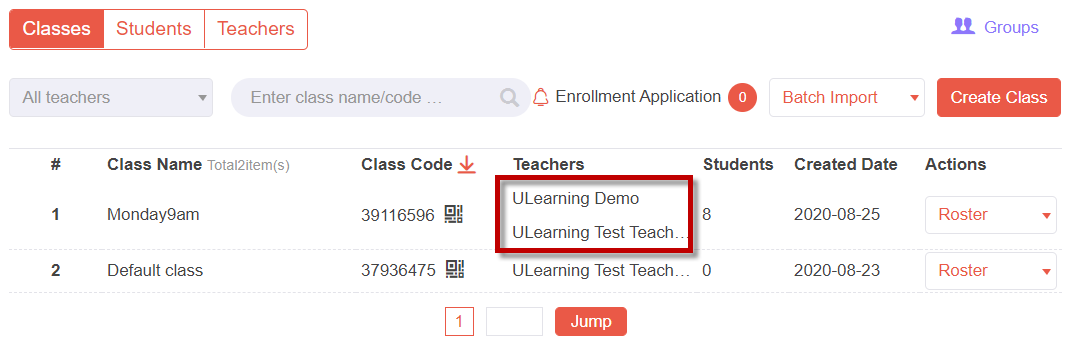
User Note A course/class can be co-taught by 2 or more teachers. Therefore, you can add multiple teachers to a class.